AI-Powered DevSecOps: How to Shift Security Even Further Left in 2026
When I started in infrastructure, security was the team you called after something bad happened. Then we got “shift left” — integrate security into CI/CD pipelines. Now, with AI, security is shifting further: into the editor, before the commit, before the PR, before the pipeline even runs.
This is not hypothetical. The tooling exists today. This is what production DevSecOps looks like in 2026.
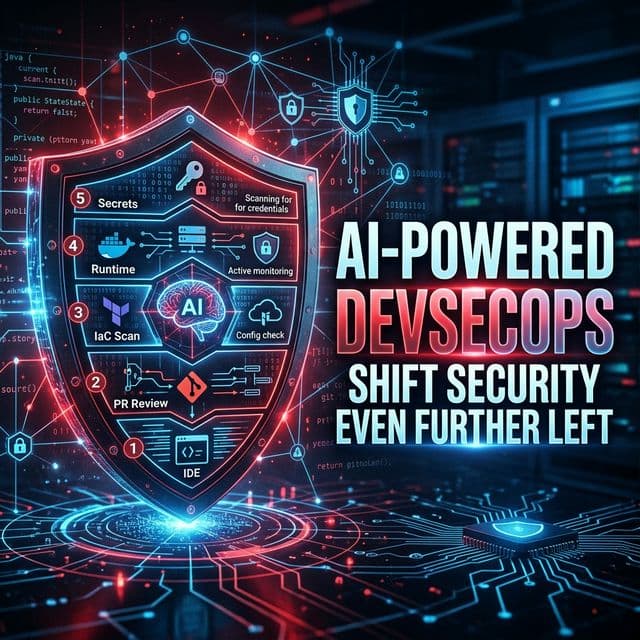
THE AI SECURITY STACK THAT'S BECOMING STANDARD
Layer 1: AI in the IDE (Before Commit)
GitHub Copilot Security / Amazon CodeWhisperer: These tools now flag security issues as you type. Not after you commit — as you type. Write an IAM policy with *:* permissions and Copilot flags it immediately. Write os.system(user_input) in Python and it warns about injection. This catches issues at zero cost — before they ever touch the codebase.
Layer 2: AI-Powered SAST in PR Review
Snyk Code + AI, Semgrep Assistant: Traditional SAST tools generated massive false-positive noise. AI-enhanced SAST tools now explain findings in context: “This SQL query on line 47 is potentially vulnerable to injection because the user_id parameter is passed directly from the request body without sanitization. Here’s the safe version.” The signal-to-noise ratio has improved dramatically.
Layer 3: IaC Security Scanning with AI Context
Checkov + AI, Terrascan, KICS: Scanning Terraform for misconfigurations is not new. The AI layer is what’s new — instead of “IAM policy too permissive,” you get: “This IAM role allows all S3 actions across all resources. For a Lambda function that only reads from one bucket, the minimum required permissions are: s3:GetObject on arn:aws:s3:::your-bucket/*. Here’s the corrected policy.”
Layer 4: Runtime Security with ML Detection
Falco + Falco AI, Sysdig, Aqua Security: Kubernetes runtime security tools now use ML to baseline normal container behaviour and detect anomalies. If a container that normally only makes API calls to your database suddenly starts scanning the network, ML-based runtime security catches it in seconds. Traditional rule-based tools would need a rule for every specific attack pattern. ML-based tools learn what “normal” looks like.
Layer 5: AI-Assisted Secrets Detection
GitLeaks with AI, Trufflehog v3: Secret scanning is now AI-enhanced to catch obfuscated secrets, encoded secrets (base64 encoded API keys), and secrets in unusual formats that pattern-based tools miss.
THE DEVSECOPS PIPELINE IN 2026
Developer pushes code →
  ↓ [AI IDE checks — real-time in editor]
  PR opened →
    ↓ [AI SAST scan — Snyk/Semgrep with explanations]
    ↓ [AI IaC scan — Checkov with remediation suggestions]
    ↓ [AI secrets scan — Trufflehog v3]
    ↓ [AI-generated security review summary in PR]
  Merge to main →
    ↓ [DAST against staging — AI-prioritized findings]
    ↓ [Container image scan — Trivy + AI triage]
    ↓ [SBOM generation]
  Deploy to production →
    ↓ [ML runtime security — Falco AI]
    ↓ [Continuous compliance — AI drift detection]
ONE REAL INCIDENT AI WOULD HAVE PREVENTED
I worked with a team that shipped an S3 bucket policy that made their logging bucket publicly readable. Traditional pipeline had Checkov — but the false-positive rate was so high the team had suppressed most warnings. It ran through to prod.
With AI-enhanced Checkov, the warning would have said: “This bucket contains CloudWatch logs and is configured for public read access. Bucket names that match the pattern *-logs-* should not be public. This appears unintentional. Suggested fix: remove Principal: * from the policy.” That contextual explanation is the difference between a suppressed warning and a blocked deployment.
The Threat AI Is Creating (Not Just Solving)
AI is also being used by attackers: AI-generated phishing tailored to your org’s specific Slack/email patterns, AI-assisted vulnerability research, AI-generated malware that evades signature-based detection. DevSecOps engineers in 2026 need to understand not just how to use AI for defense, but what AI-assisted attacks look like.